
Take-home design challenge / Voluntary Life Insurance Enrollment
Confidence, beforea single question.
During Open Enrollment, employees get one email link to apply for voluntary life insurance on top of what their employer already covers. Most have never bought insurance on their own, have days left before the window closes, and are doing this on a phone. This is that flow.
Role
Senior UI Designer
Ownership
Solo — flow design, UI, and interaction design
Tags
Figma, Design Thinking, Product Design, UI Design, Mobile App Design
Year
2026
Context
The brief: design a mobile flow for an employee with about a week left to opt in, no insurance background, and no appetite for paperwork. They need to understand their eligibility, choose a coverage amount with real money attached, and submit — confidently, without a health exam standing in the way.
Problem statement
During the company's Open Enrolment period, employees are invited to apply for Voluntary Life Insurance through an email link.
Persona
Has 7 days remaining before enrolment closes. Has never purchased life insurance independently. Opens the application on a mobile device. Must determine their eligibility, choose an appropriate coverage amount, and submit — confidently, without feeling overwhelmed.
Assumptions
The company already provides basic life insurance — this flow is for buying extra voluntary coverage. Coverage up to the Higher plan needs no medical exam. Premium amounts shown are examples only. The email link verifies the employee's identity; date of birth is a simple second check before they continue.
Why date of birth, not a password
The email link already confirms identity — date of birth adds one more check without asking anyone to remember a password. It also lets an employee continue on any device, while making it harder for someone else to finish the application through a shared inbox.
4
Steps from email link to enrolled
0
Health exam required
24h
Before a reminder + resume link
Reassurance before a single question
The first screen asks for nothing. It answers what a first-time buyer actually worries about — how long this takes, whether progress is lost if they leave, whether a health exam is coming — before the flow asks for anything at all.
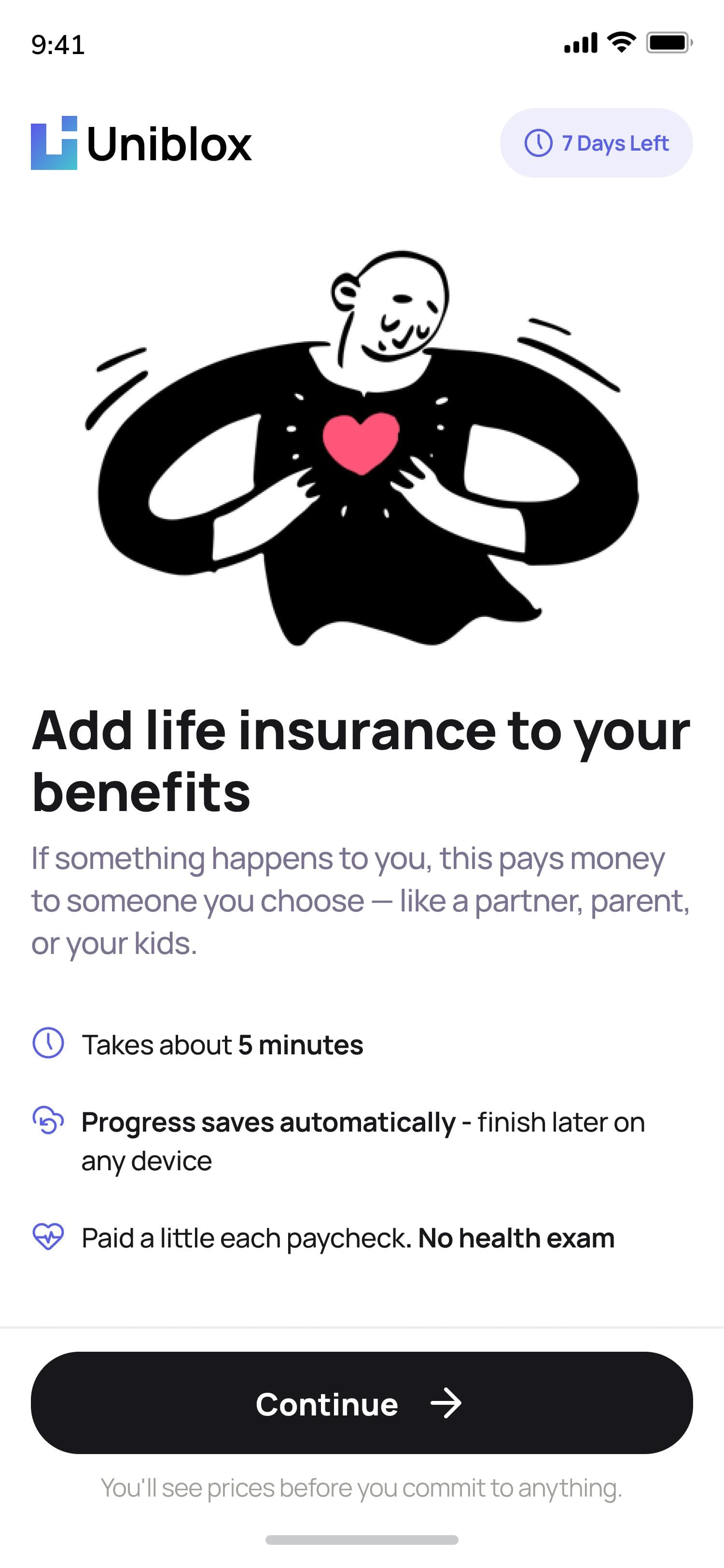
Time, autosave, and no exam — stated up front, before the first form field.
Three questions, priced instantly
Eligibility and price both come from three fields — date of birth, hours worked, tobacco use — framed as quick questions instead of an application, with a plain note that none of it reaches the employer.
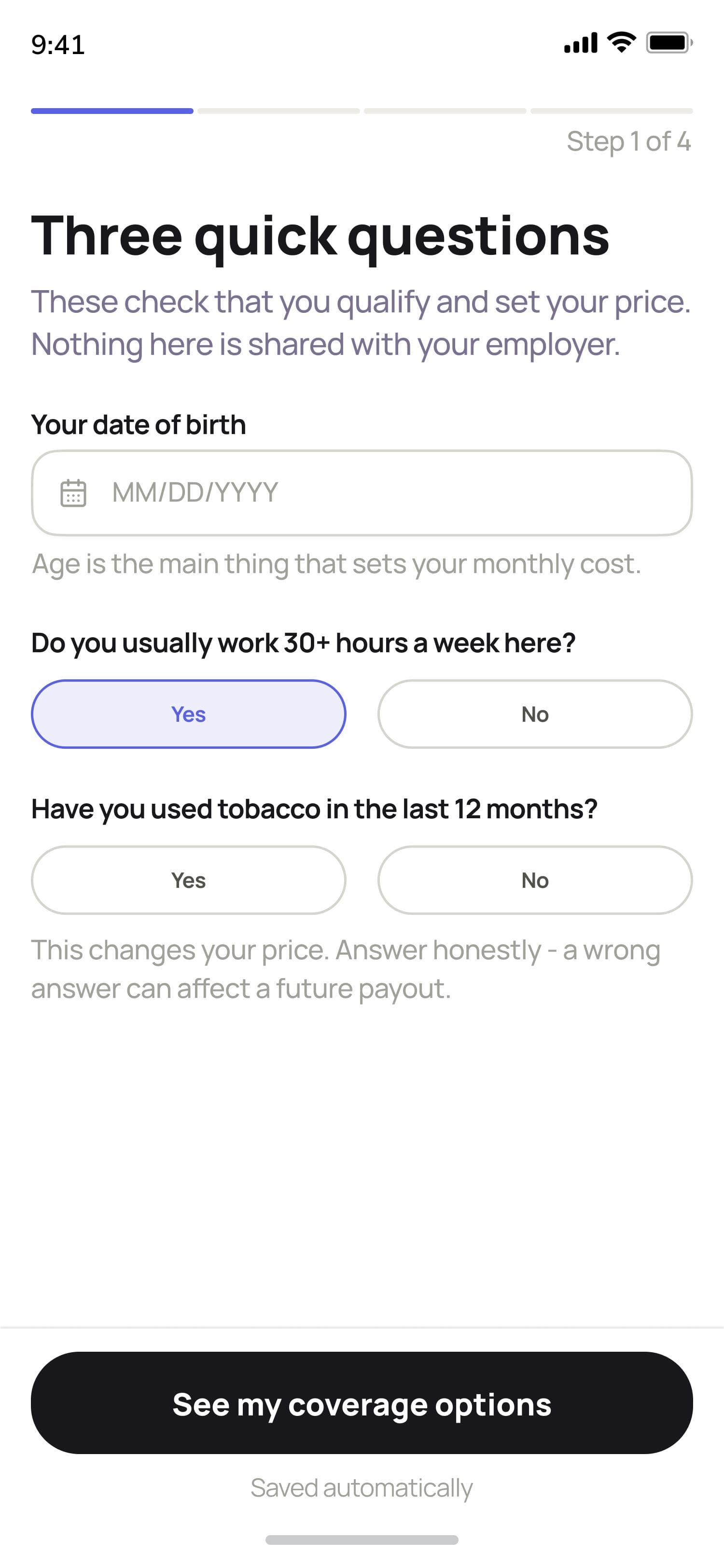
Three fields set both eligibility and price — nothing else is asked at this step.
A recommended tier, not a spreadsheet
Coverage defaults to the tier most employees choose, priced per paycheck instead of per year, so a first-time buyer can accept it in one tap or compare two others without doing the math themselves. Adding a spouse expands the same screen instead of branching into a new one.
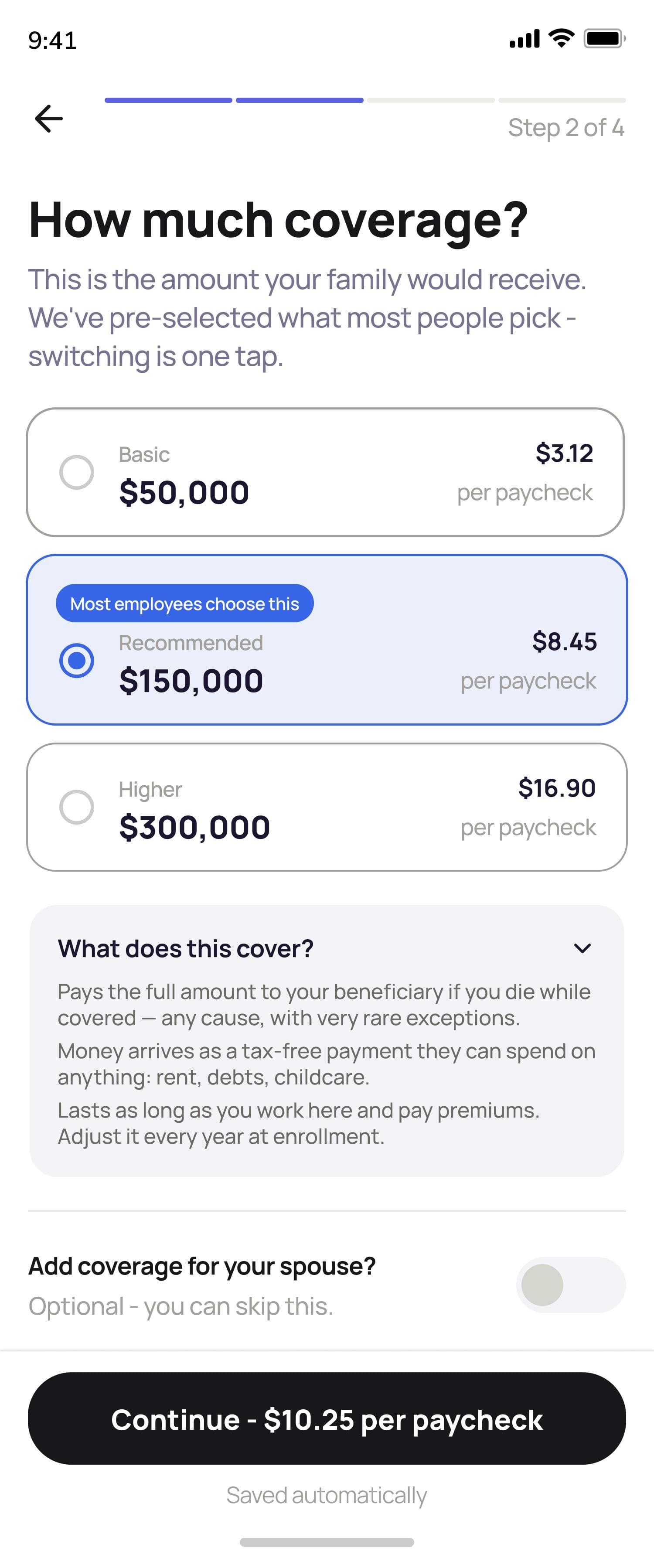
One recommended tier, pre-selected and priced per paycheck.
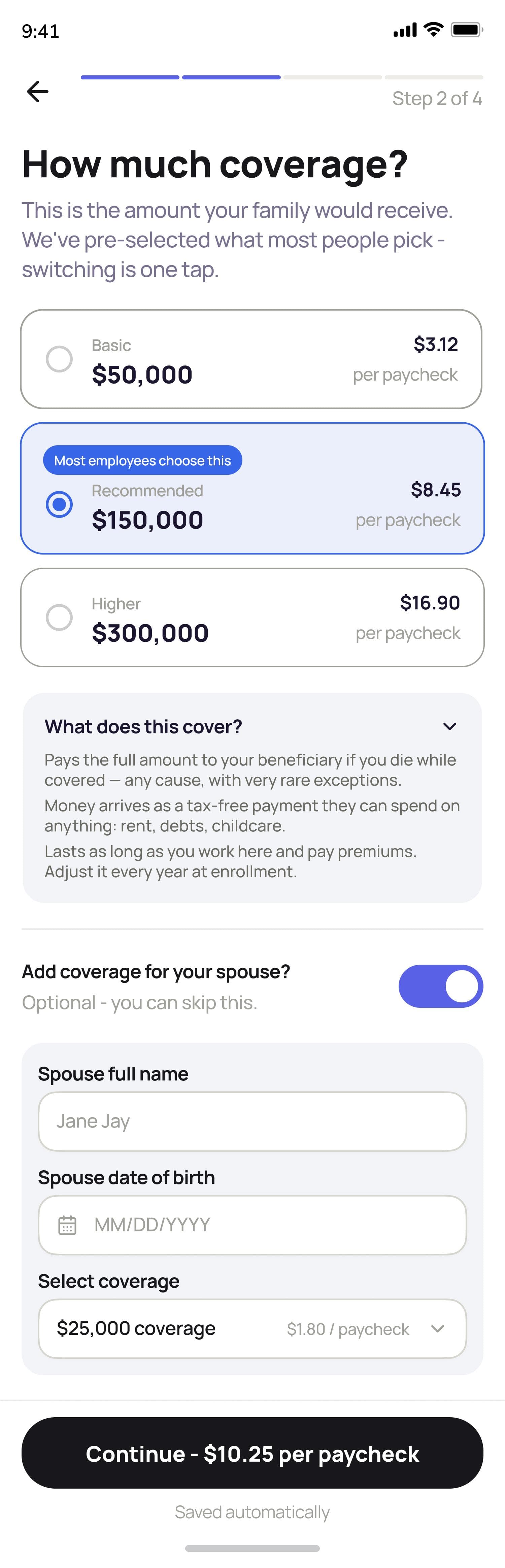
Toggling on spouse coverage expands the same screen — no new step.
Beneficiary and review, on one screen
Naming a beneficiary and reviewing the enrollment used to be two screens. Combined, every prior answer is editable right where it's being confirmed, and submitting is the very next action instead of a screen away.
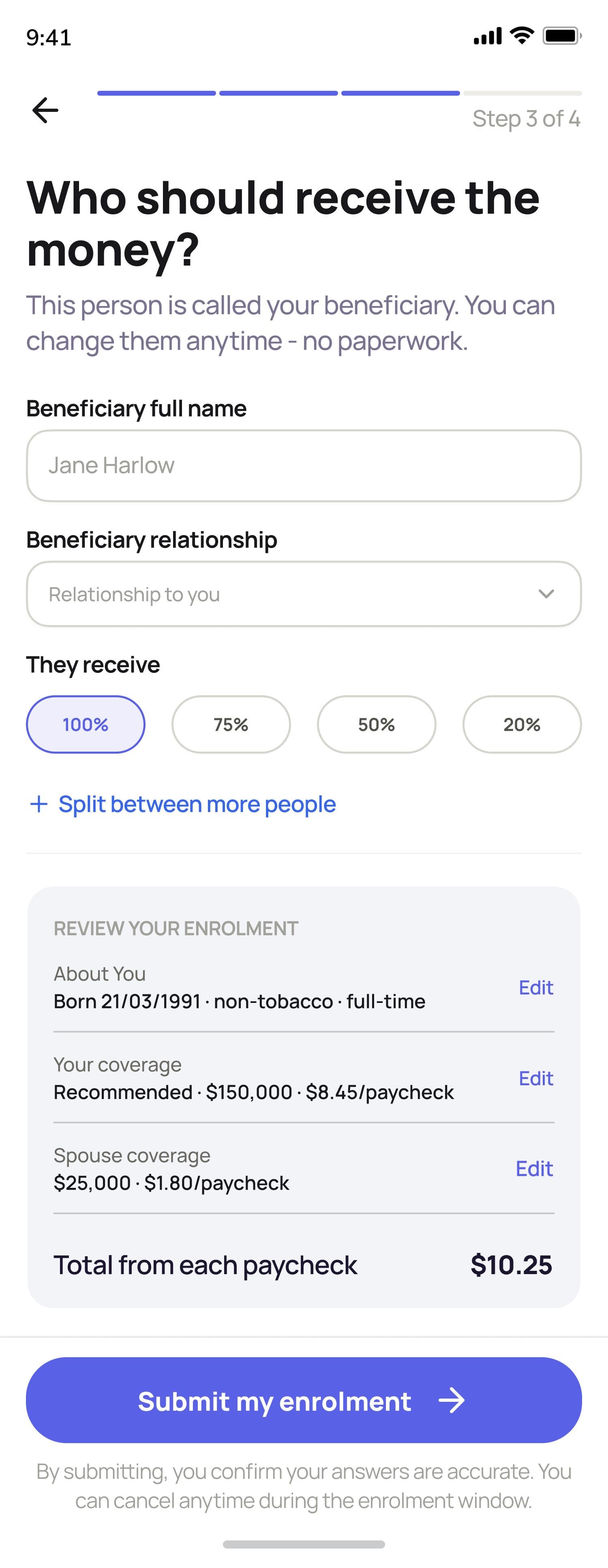
Every prior answer is inline and editable — one tap to submit from the same screen.
Dropping off doesn't mean starting over
Anyone who closes the tab mid-flow gets a reminder email after 24 hours and a magic link back in — no password, just their date of birth to confirm it's them. They land back exactly where they stopped, with completed steps visibly checked off.
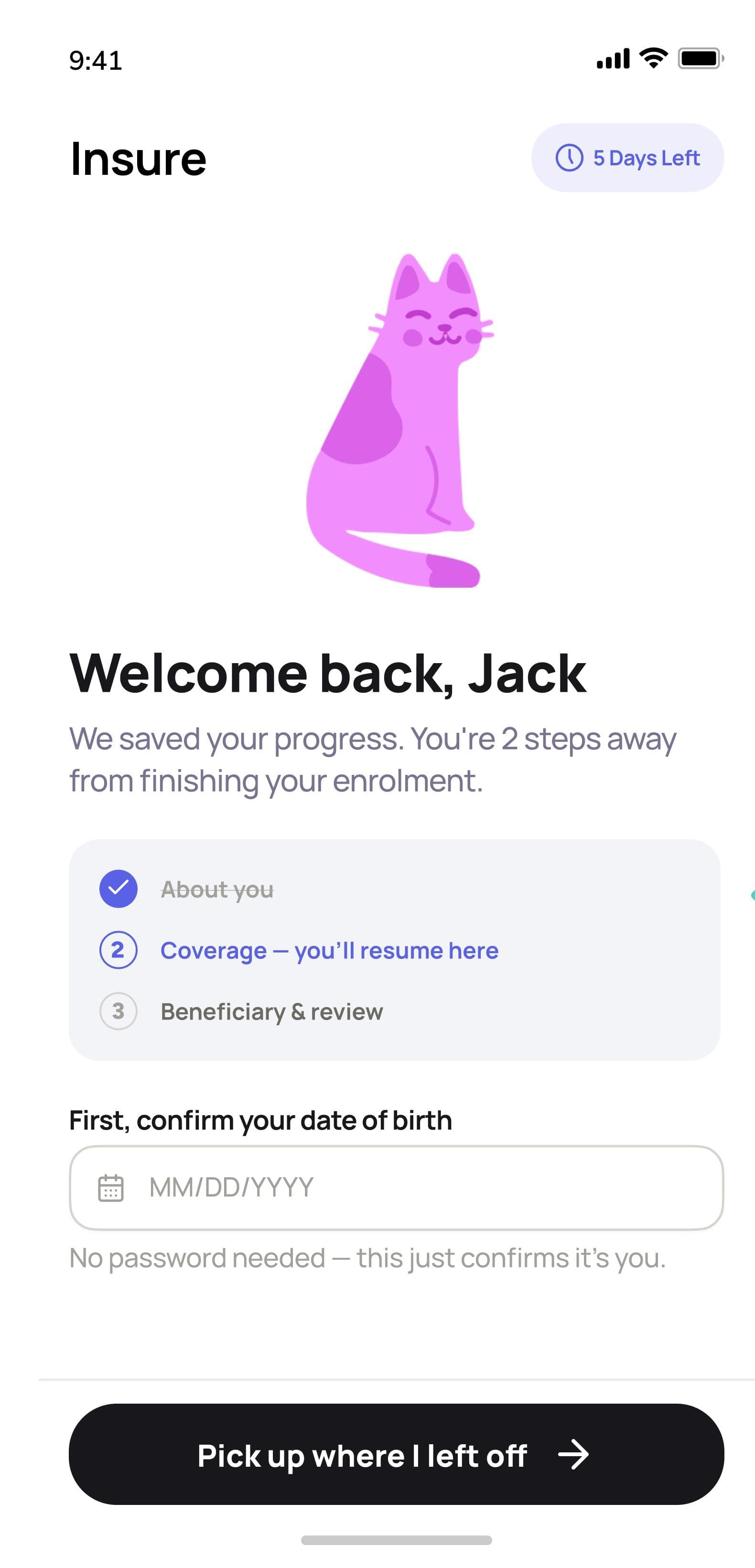
A returning employee sees exactly what's done and what's left, and resumes with one tap.
Enrolled, with nothing left to guess
Confirmation states the coverage, the cost, and exactly what happens next — a confirmation email, when deductions start, how to change a beneficiary later — instead of leaving the employee to wonder if it actually went through.
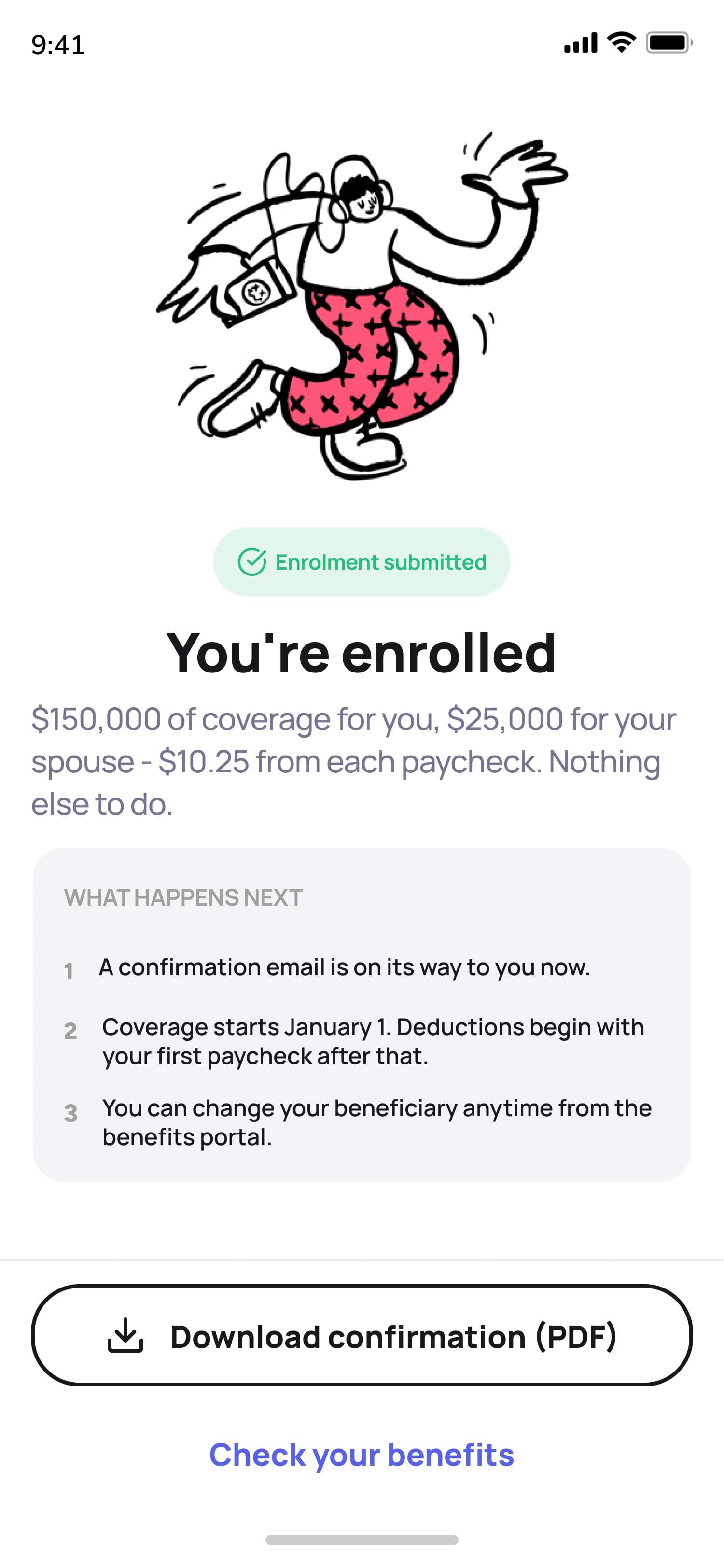
Coverage, cost, and next steps — stated plainly, with a downloadable record.
More from this project
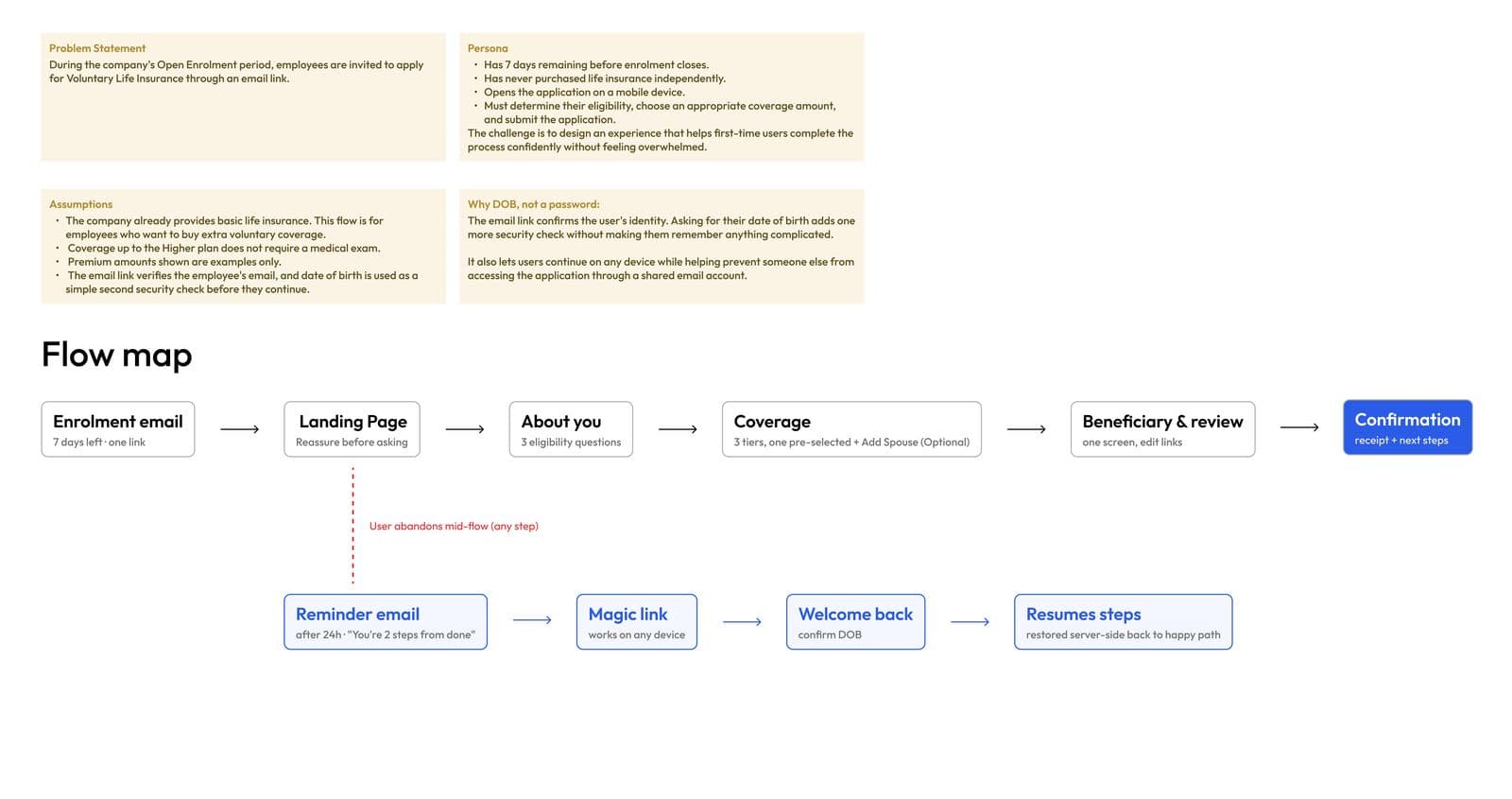
The complete flow, including the reminder-email and magic-link path back in for anyone who abandons mid-enrollment.