
Take-home design challenge / Error Slides Redesign
A broken card grid,redesigned in two days.
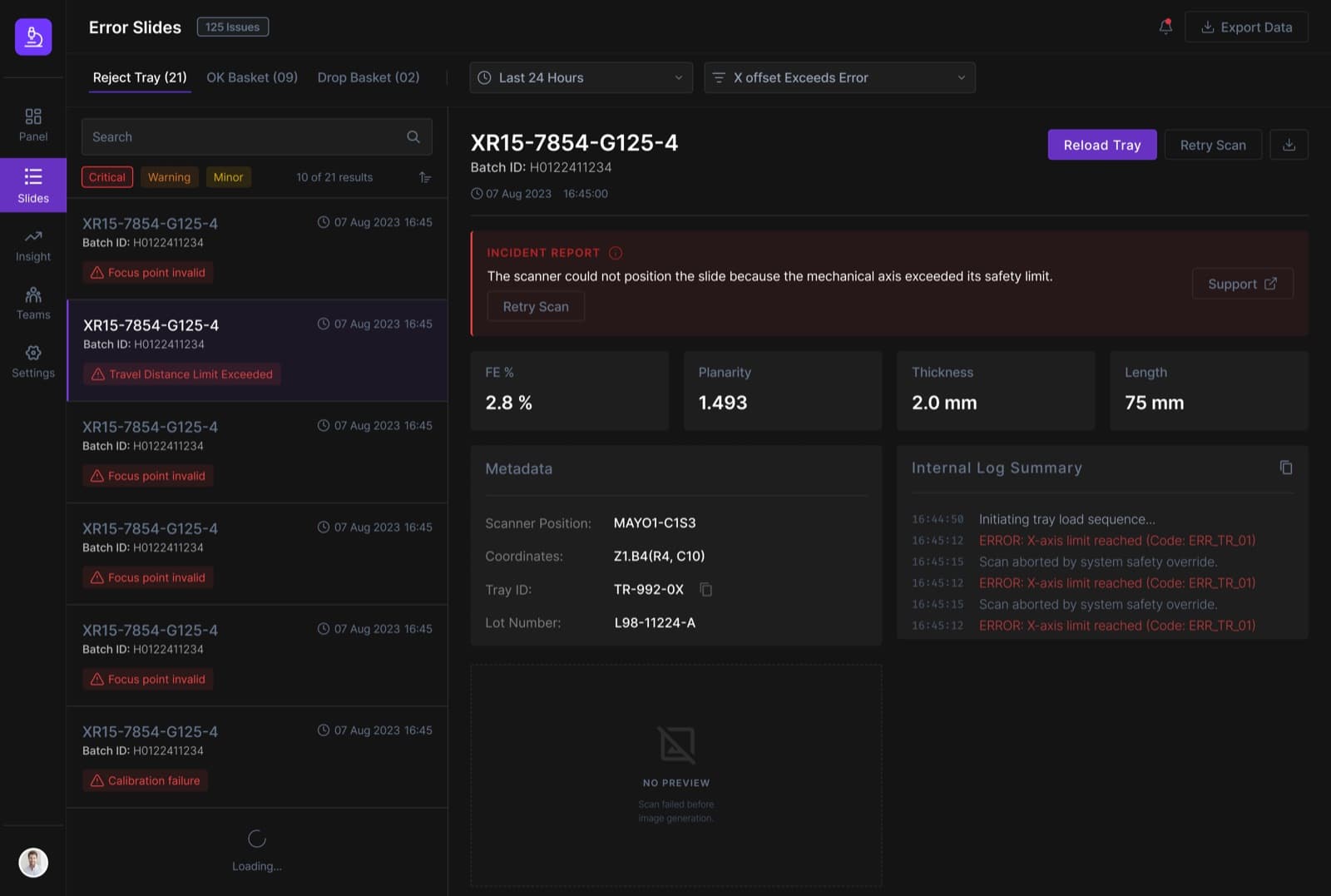
A hiring team gave me an existing 'Error Slides' widget — the screen lab technicians, scanner operators, and service engineers use to triage failed slide scans — and two days to identify what was wrong with it and redesign it. This is that process, end to end: audit, personas, rules, and a working hi-fi prototype.
Role
Senior UI Designer
Ownership
Solo — UX audit, redesign, and hi-fi prototype
Tags
Figma, Design Thinking, Product Design, UI Design, Web App Design
Year
2026
Context
Error Slides is the screen lab technicians, scanner operators, and service engineers open when a slide scan fails: whatever the machine did wrong — a focus error, a calibration failure, an axis limit exceeded — has to be understood fast enough to fix it and move to the next slide in the batch. The existing widget was a grid of cards, each one carrying a critical error buried in a small, low-contrast box, with no reliable filter state and no way to work through more than a handful of slides before the layout fell apart.
125
Issues in a single reject tray
3
Personas: technician, operator, engineer
2
Days from brief to prototype
A card grid that broke under its own weight
The original design packed every error slide into its own card: an image placeholder, a small red box with the error, four metrics, a timestamp. It read fine with five cards on screen. At 100+ it became an infinite-scrolling wall of near-identical tiles, with the one thing that actually mattered — what went wrong — buried in low-contrast text inside a tiny box.
Filters didn't help either: picking one collapsed the dropdown with no visible trace of what was still active, so a technician had to remember their own filter state themselves.
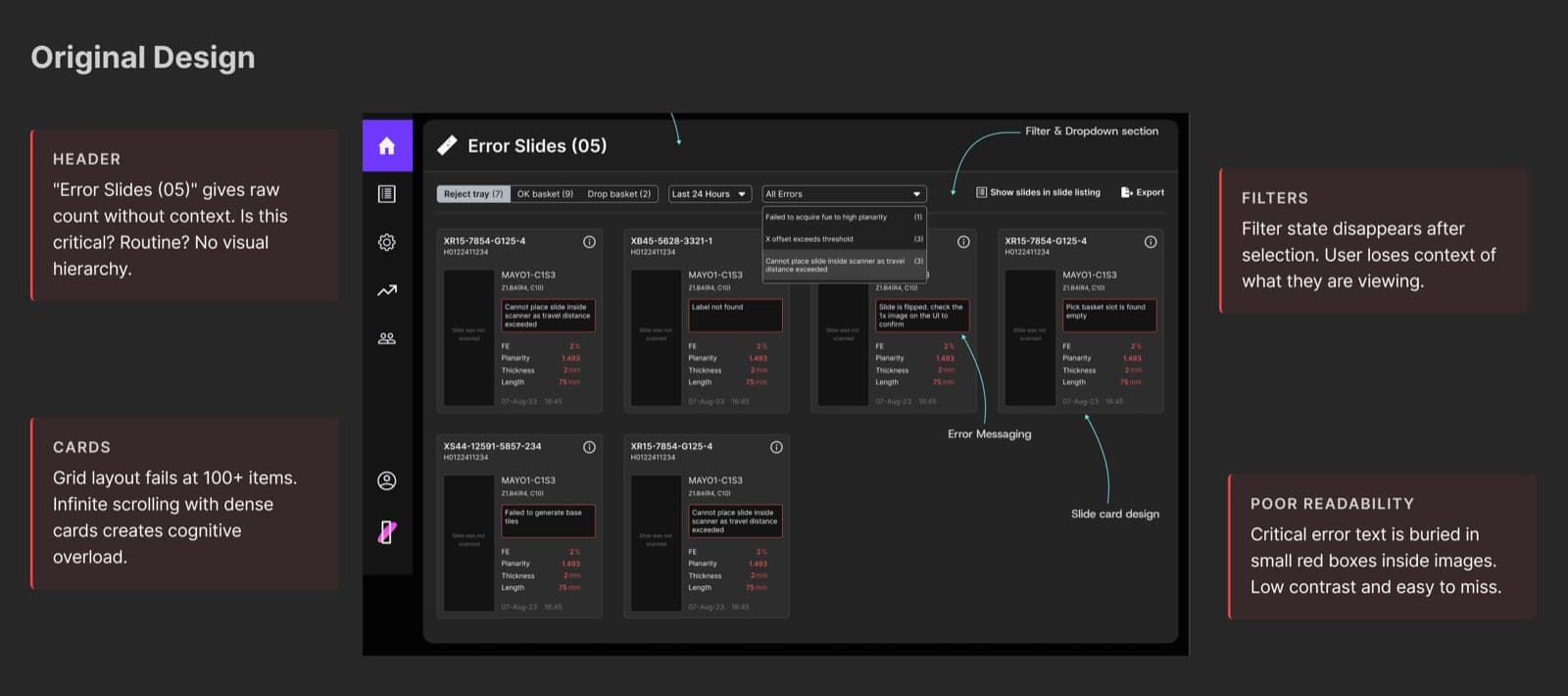
The original grid: no visual hierarchy, filter state that disappears, and critical errors buried in small red boxes.
Three people, three different depths of the same slide
The brief named three personas, and each one reads a failed slide differently. A lab technician just needs to clear the queue — a fast, plain-language 'what happened, what do I do.' A scanner operator wants reliable batch filtering and visual confirmation a retry worked. A service engineer debugging hardware needs the deep end: metadata, error codes, raw logs, sensor readings.
One flat card can't serve all three. It either overwhelms the technician with logs they don't need, or hides the detail the engineer came for.
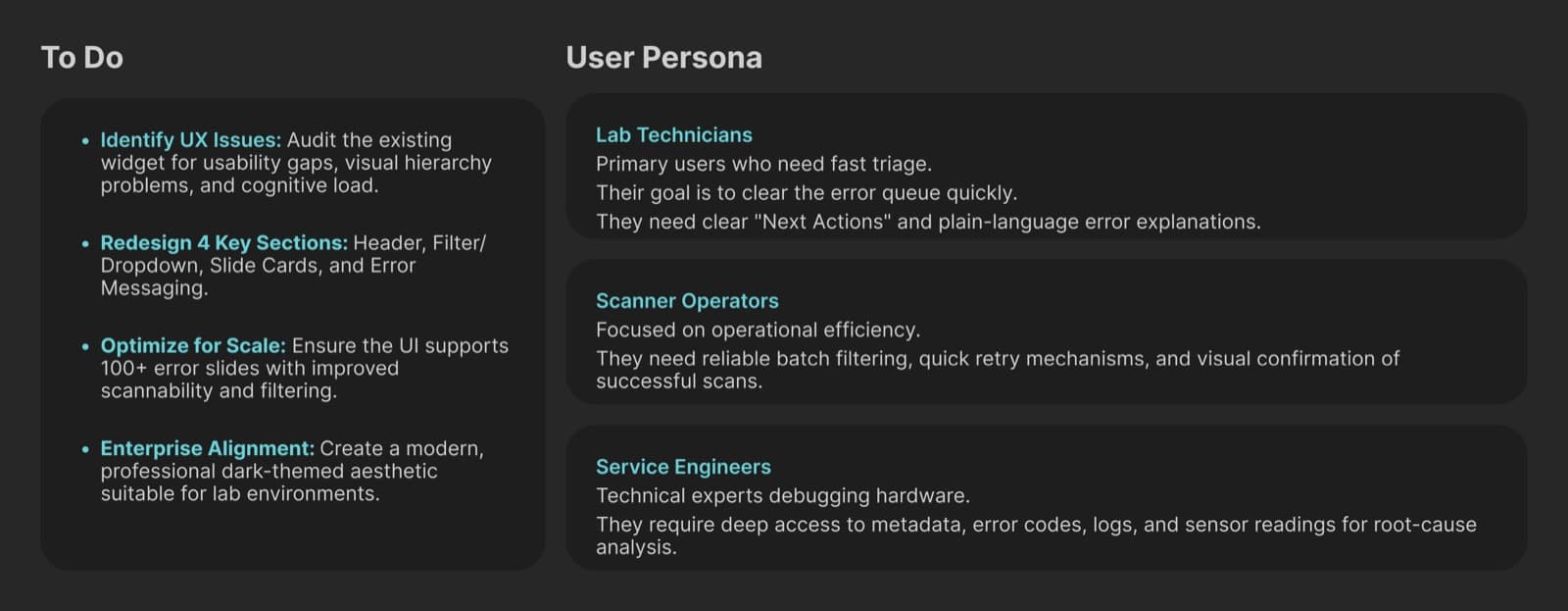
The three personas this redesign had to hold at once — and what each one actually needed from the screen.
Two rules turned a grid into a workspace
Everything else in the redesign follows from separating navigation from investigation.
Browsing and reading never share a panel
A master list on the left replaces the card grid — scannable rows with just the slide ID, error type, and timestamp. Selecting one opens its full diagnostic detail on the right, so scanning 125 slides and reading one deeply never fight for the same space.
The failure states the problem before it shows the data
A slide's detail opens with an Incident Report banner in plain language, above the metrics and logs. A technician reads that one line and often doesn't need to go further; a service engineer knows exactly where to keep reading.
From a broken grid to a diagnostic workspace
The redesign kept every real requirement — filters, error detail, batch scale, four personas' different needs — and gave each one a fixed place: a persistent filter bar that never hides its own state, an elevated incident banner, and an Internal Log Summary scoped for the service engineers who actually read it.
The list-based layout scales the way the card grid never could: the same pattern holds at 21 slides or 1,000, with search, sort, and pagination doing the work infinite scroll used to.
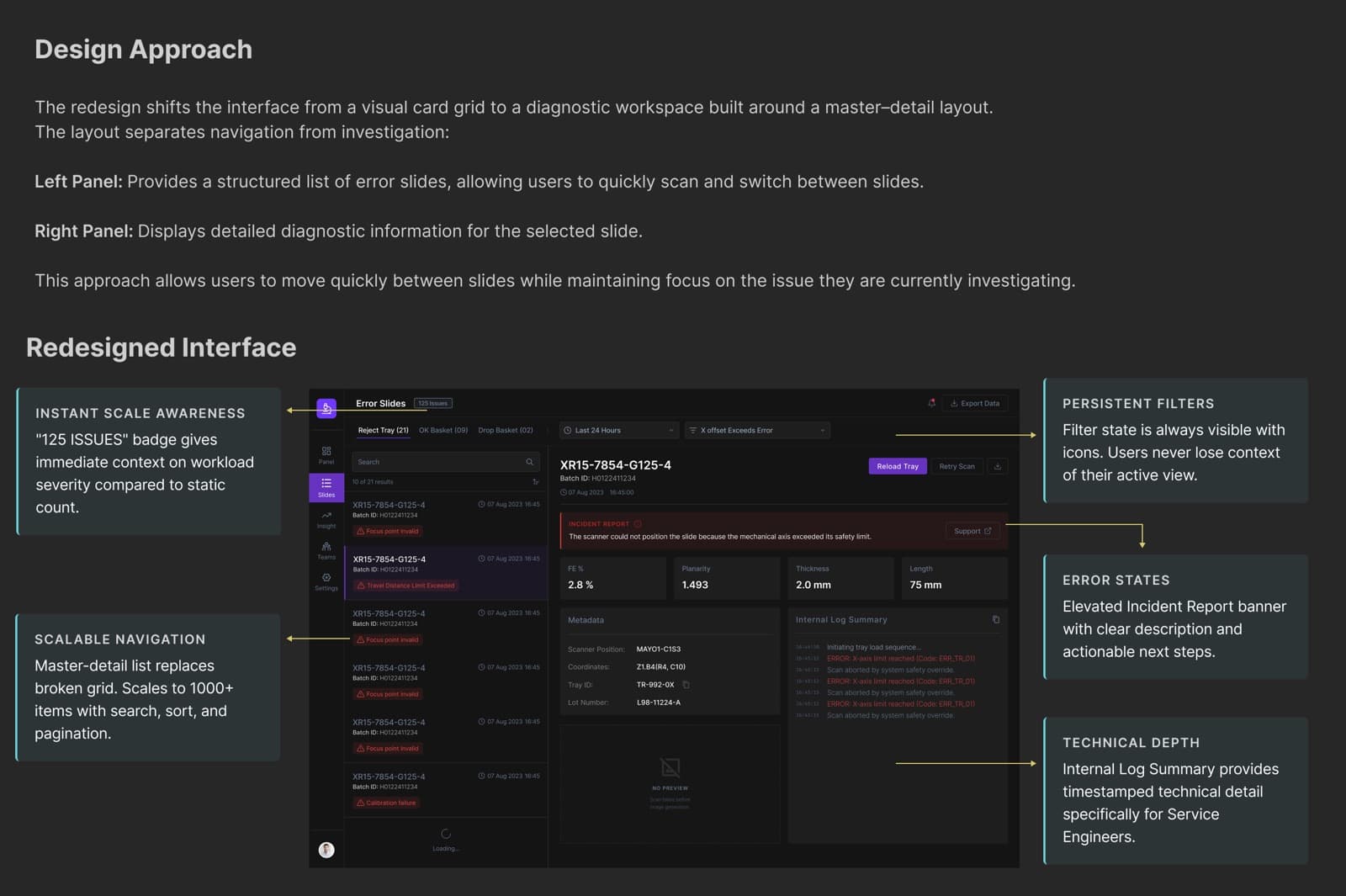
The redesign, annotated: persistent filters, an elevated incident banner, and technical depth kept out of everyone else's way.
More from this project
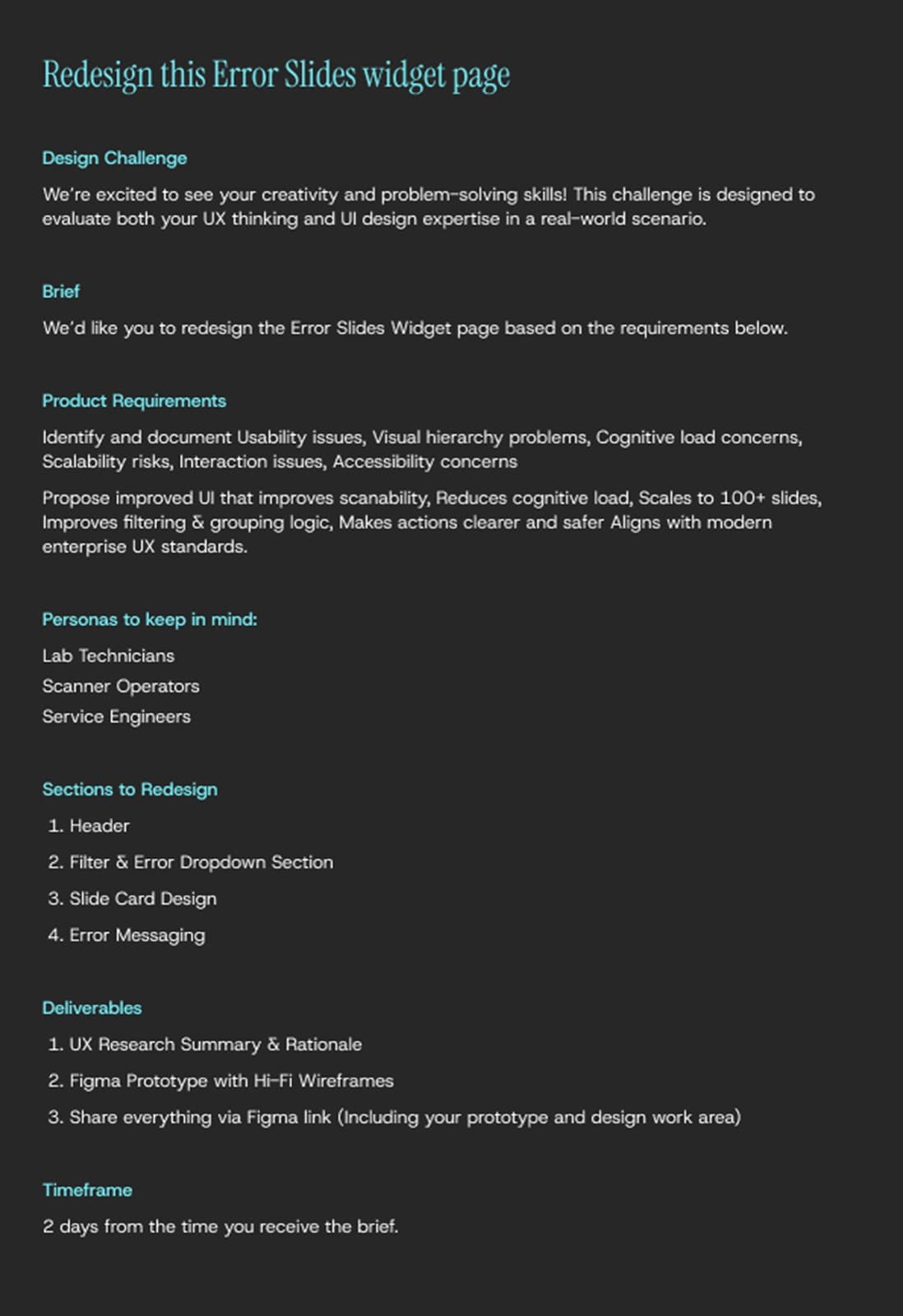
The actual challenge: a 2-day brief covering the product requirements, personas, and deliverables.
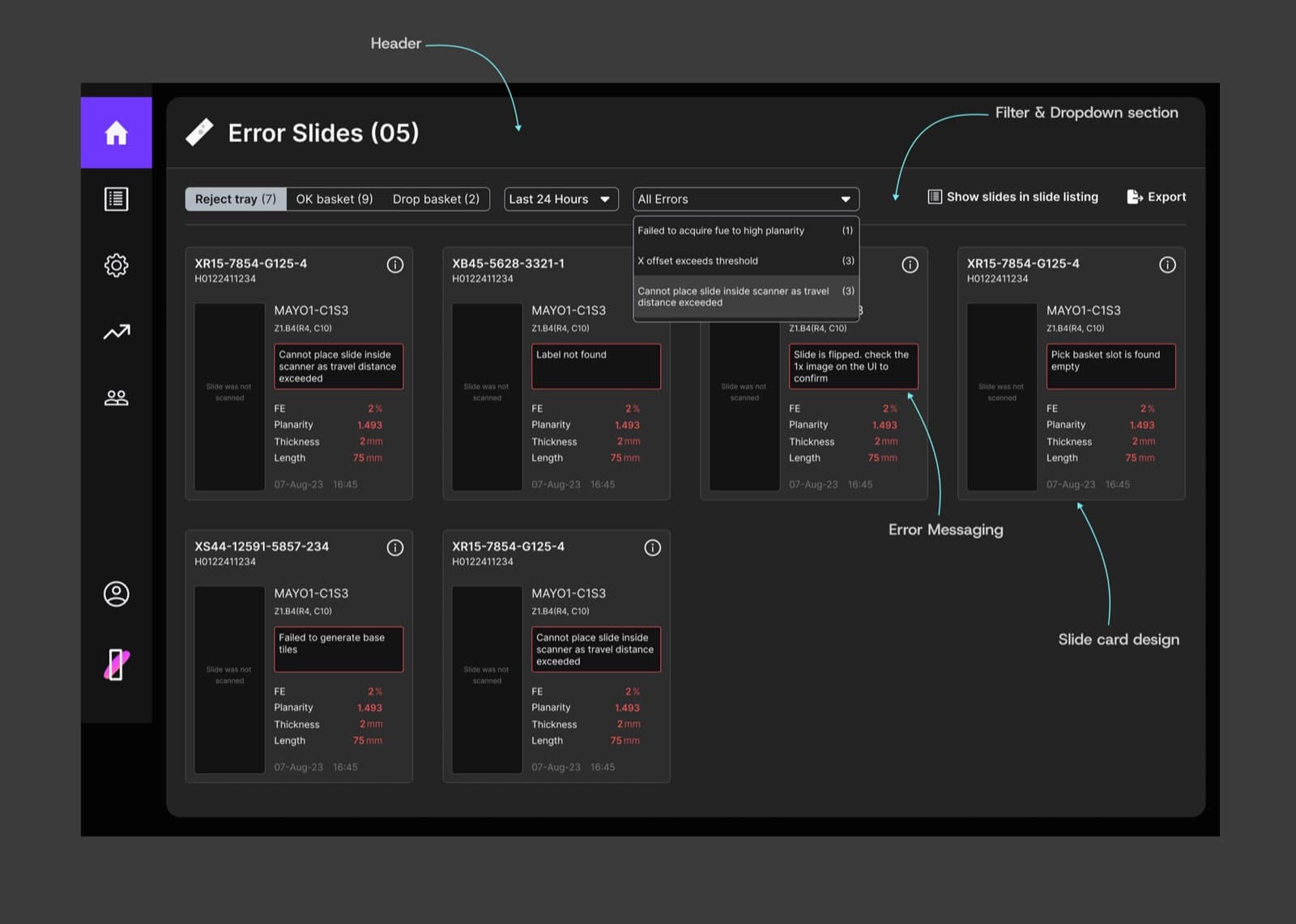
The four sections the brief asked to be redesigned: header, filters, slide cards, and error messaging.