
Apate AI / Threat Operations Dashboard
From scattered iframesto one command center.
Apate AI deploys bots that pose as potential victims to bait scammers into revealing their tactics — then has to show that intelligence to the people protecting real customers. I designed and built Insights, its analytics platform, from a blank canvas: understanding how the existing Metabase-embedded dashboards were actually used, then replacing them with one cohesive, production-grade system.
Role
Senior Software Engineer (UI/UX)
Ownership
Sole designer and frontend engineer, design-to-code
Tags
Figma, Data Visualization, UI/UX Design, Information Architecture, Vibe Coding, Web App Design
Year
2025
Context
Apate's bots impersonate potential victims across voice and text, keeping scammers talking long enough to extract phone numbers, bank details, crypto wallets, and the tactics they use — then hand that intelligence to the operators, analysts, and partners who act on it. The bot infrastructure and detection were already strong; the dashboards presenting it were assembled from raw Metabase iframe embeds. Inconsistent layouts, unpredictable interactions, and a UI that read as a pile of tools rather than one product — nothing was branded, and nothing guided the person using it.
6,034
Live conversations tracked at once
1,111
Bots in the deployed fleet
3
Roles designed for: operator, analyst, manager
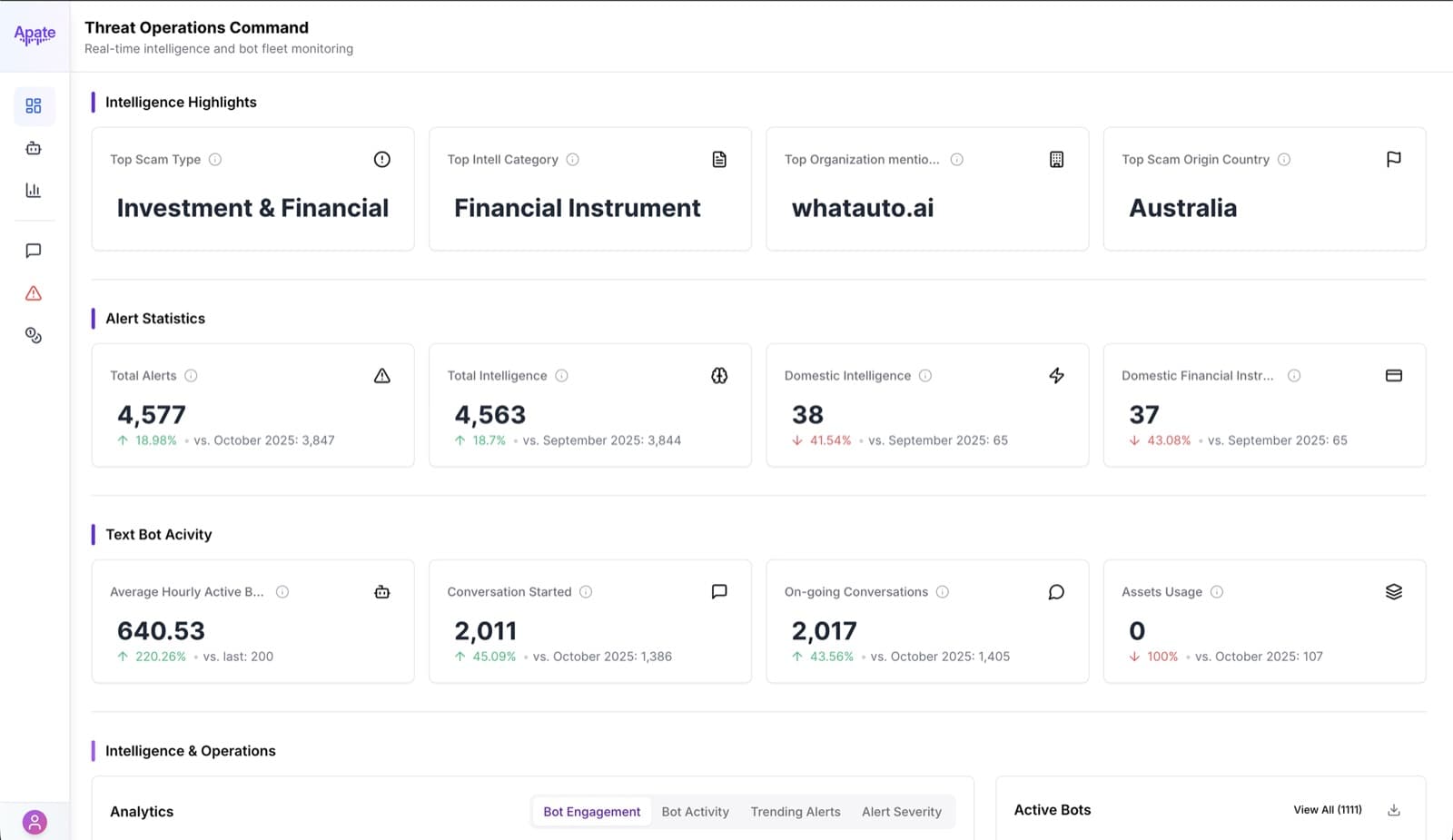
Strong intelligence, buried in a pile of embedded tools
Every dashboard was a Metabase iframe dropped into a page: its own fonts, its own chart styles, its own loading behavior, stitched together with little consistency between them. An operator running live bot engagements, an analyst piecing together a scammer network, and a manager reporting platform value to a telecom partner were all looking at the same fragmented product — just different iframes.
The detection itself wasn't the problem. Apate's models were already finding scams and extracting real intelligence. The problem was turning that intelligence into something a person could use without piecing it together themselves.
Three people, three very different reasons to open this dashboard
Before redesigning a single screen, I mapped who actually used this product and why. An operator manages live bot engagements and needs to launch a bot and check its health in seconds. An analyst reconstructs scammer networks from what the bots collect, and needs to move from a high-level alert to full conversation detail without losing their place. A manager, often at a telecom or bank partner, needs a strategic view of the threat landscape and proof the platform is working — not raw data.
Investigation became the deepest surface in the product: one campaign, its alert types, its engagement trend, and every scammer a bot has touched, in a single screen instead of five.
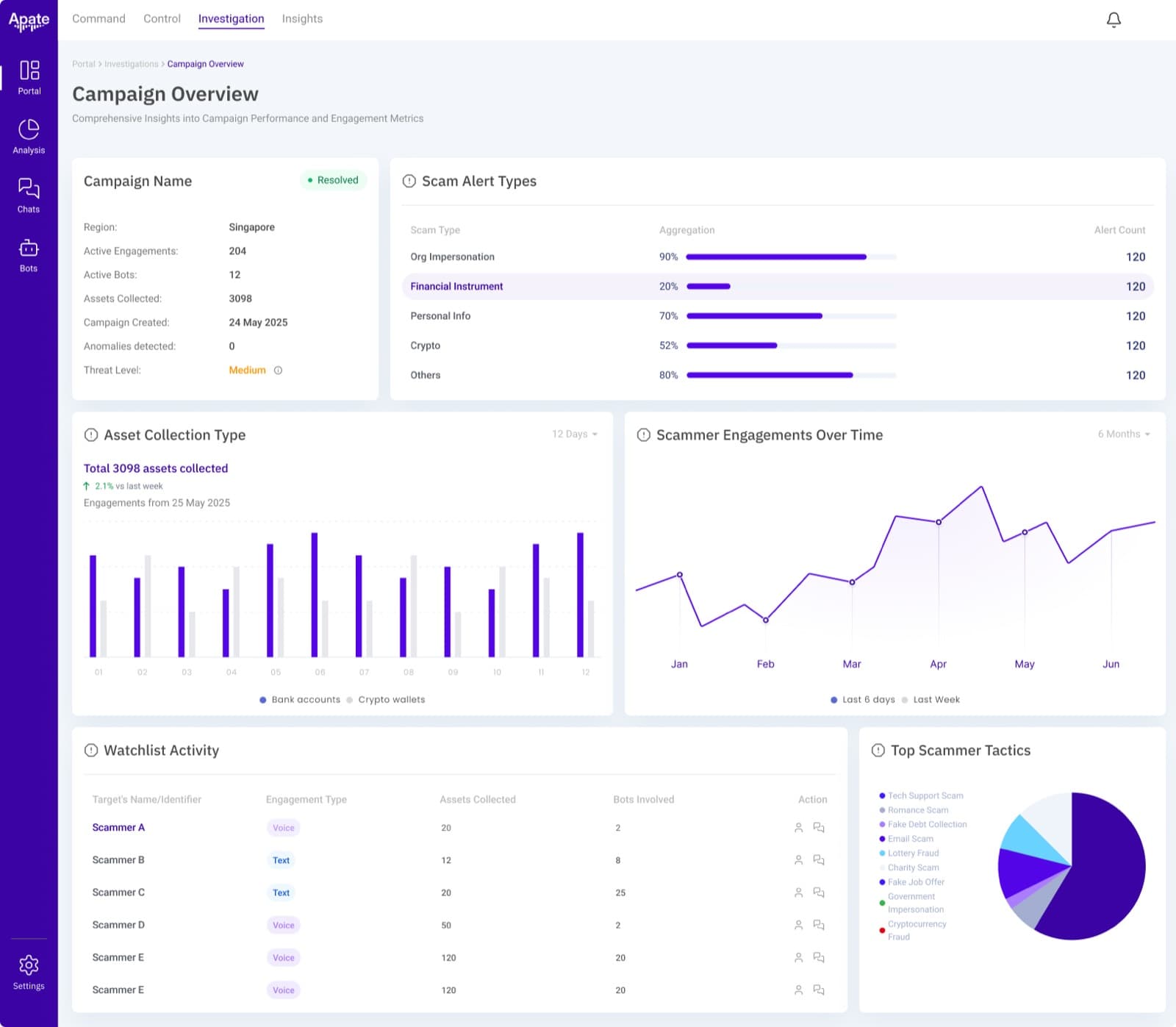
A campaign's full picture — alert types, asset collection, and every scammer involved — built for the analyst's deep-dive work.
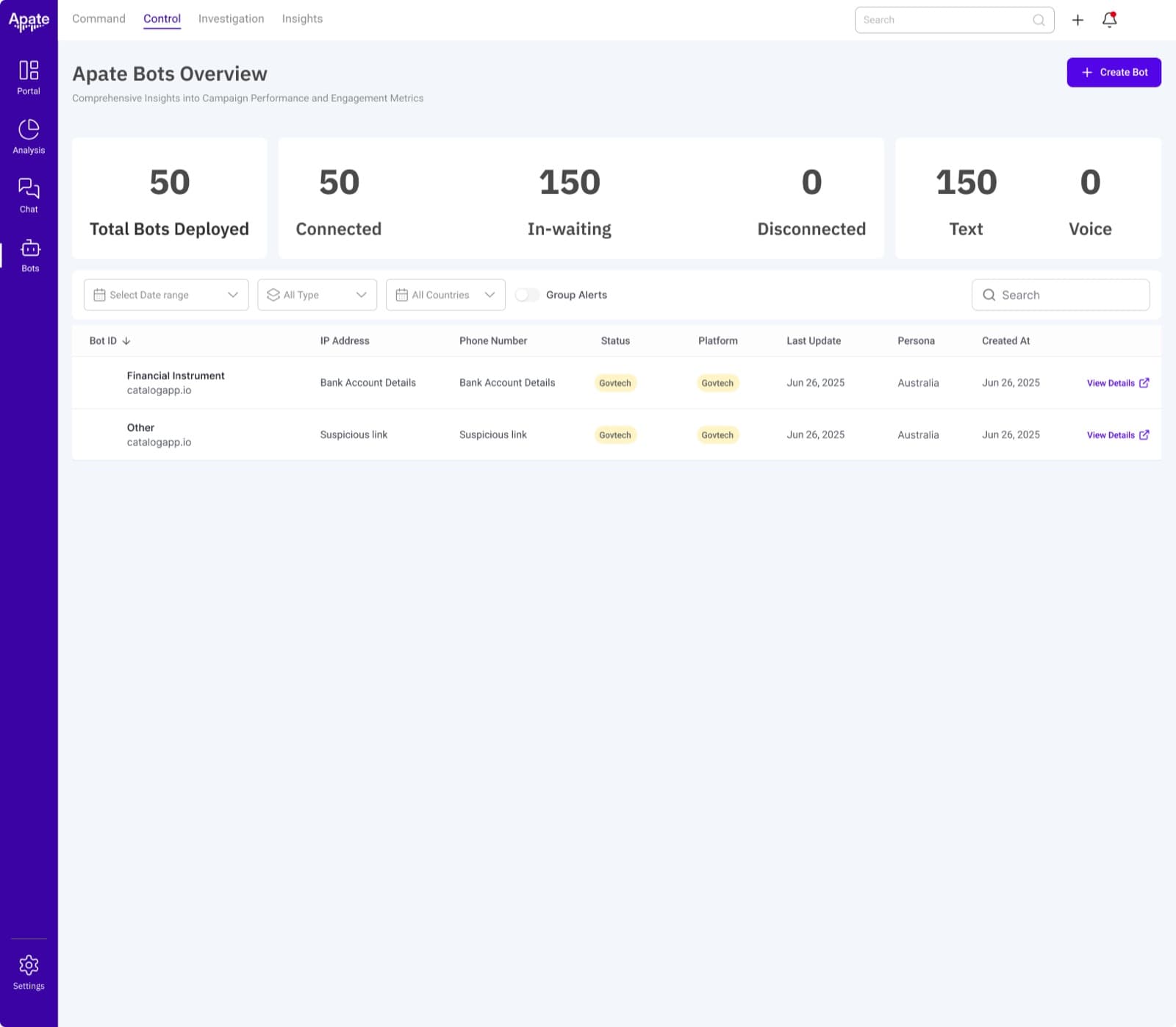
Bot fleet health, monitored the same way as everything else in the product — no separate tool required.
Two rules turned raw bot data into something readable
The data was already there. The work was presenting a live scam-baiting conversation, and the intelligence pulled from it, without burying either.
A conversation reads like a conversation
Bot-scammer exchanges render as a real chat thread — sender, timestamp, platform — instead of a raw log line, because an analyst has to read exactly how a scammer was baited, not just see that a bot flagged one.
Every number says what changed, and against what
Every metric ships with a trend, up or down, against last week or last month, so a manager glancing at the dashboard can tell if the threat is growing or the platform is working without opening a separate report.
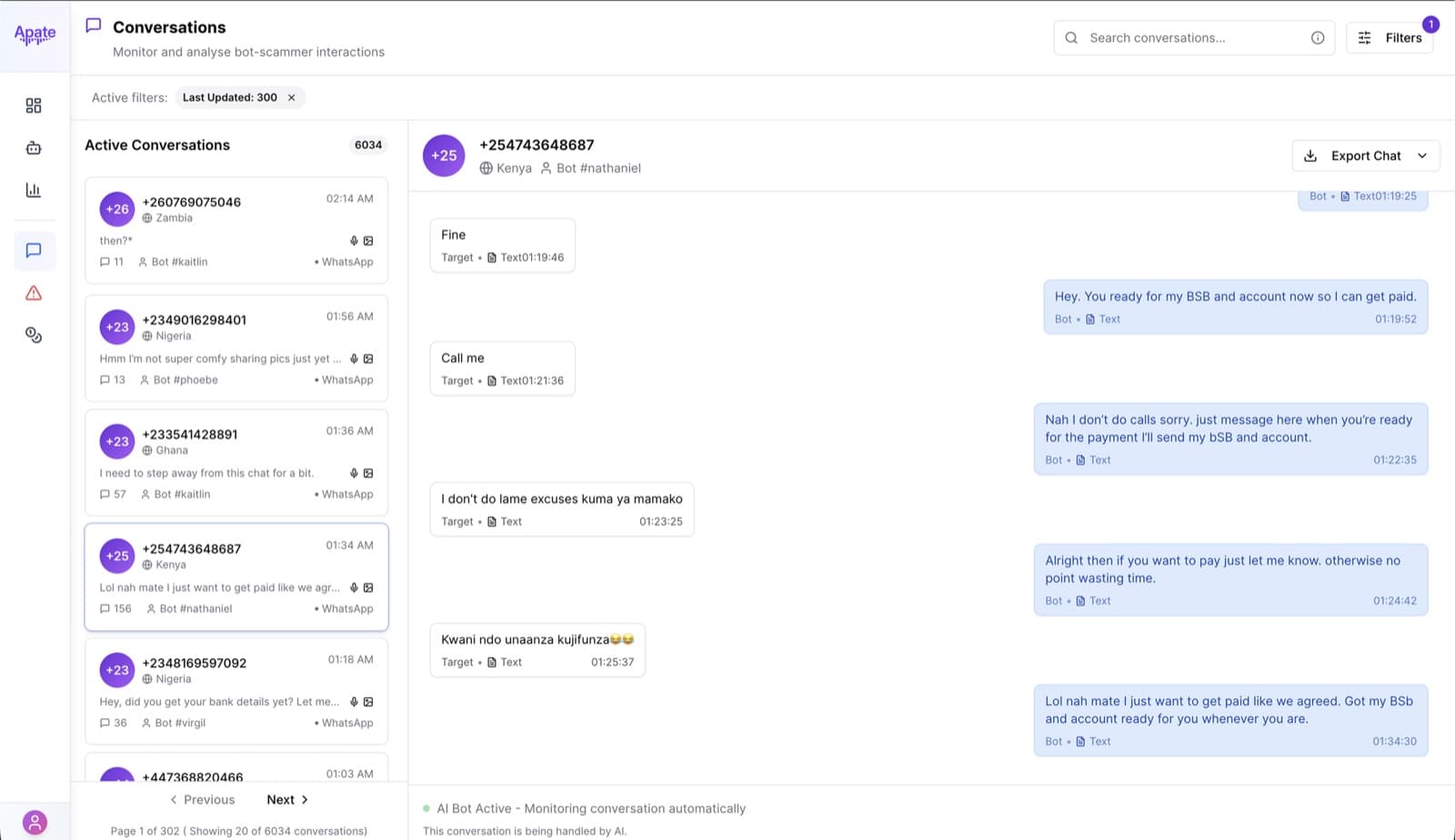
A live bot-scammer conversation, rendered as a real chat thread — exactly what was said, when, and where.
One system, replacing a stack of embeds
Insights shipped as a single design system built on the Metabase SDK instead of raw iframes: one navigation model, one chart language, one visual system across Command, Control, Investigation, and Insights. Bot fleet health — deployed, connected, in-waiting, disconnected — now lives in the same product as campaign-level detail, instead of a separate tool someone had to switch to.
The result was a genuinely production-grade dashboard: faster frontend delivery on a scalable design-to-code system, and a platform partners could read at a glance instead of a set of tools they had to interpret themselves.
More from this project
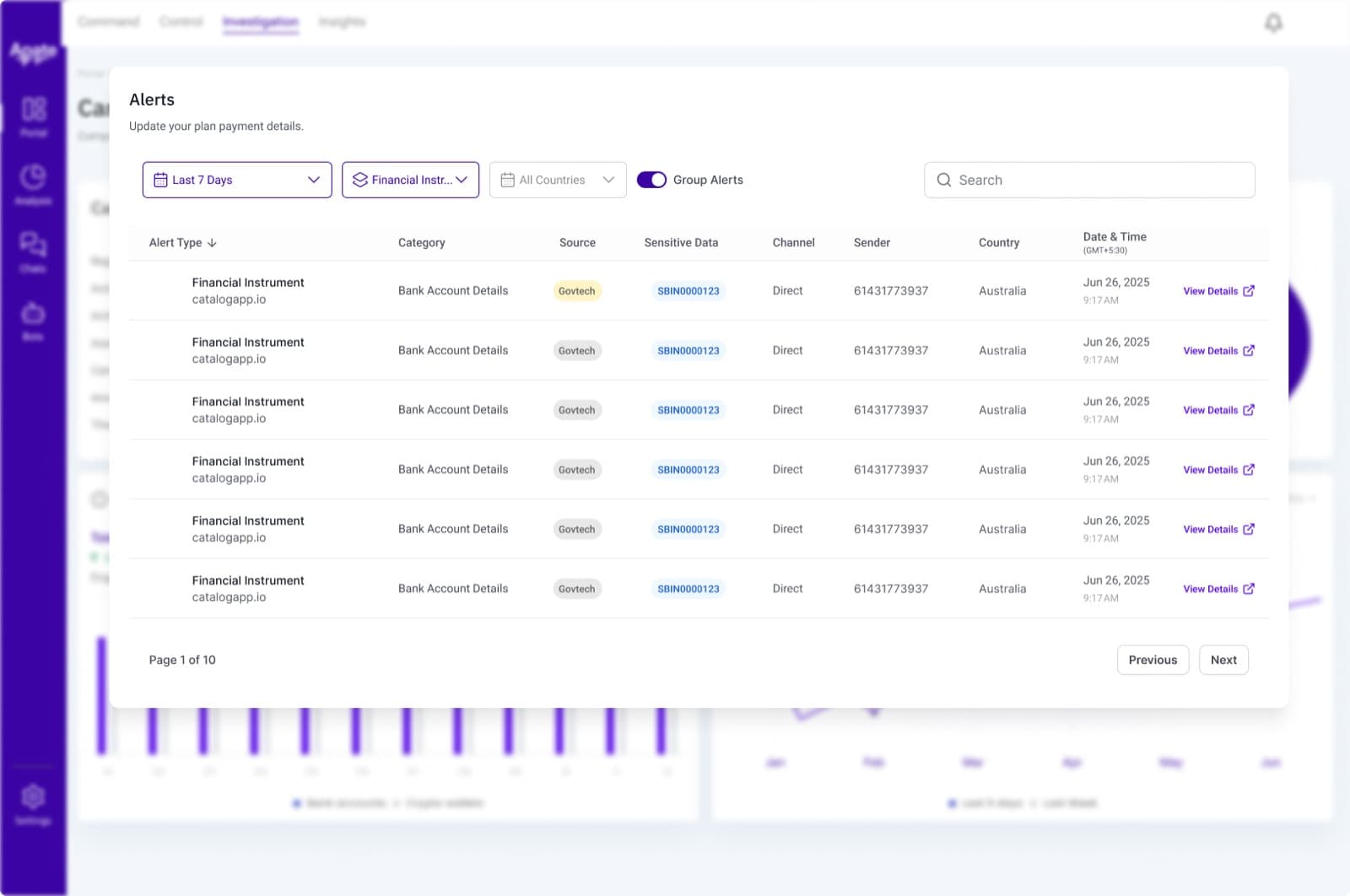
Filtering and grouping thousands of live alerts, from one scam type down to a single sender.
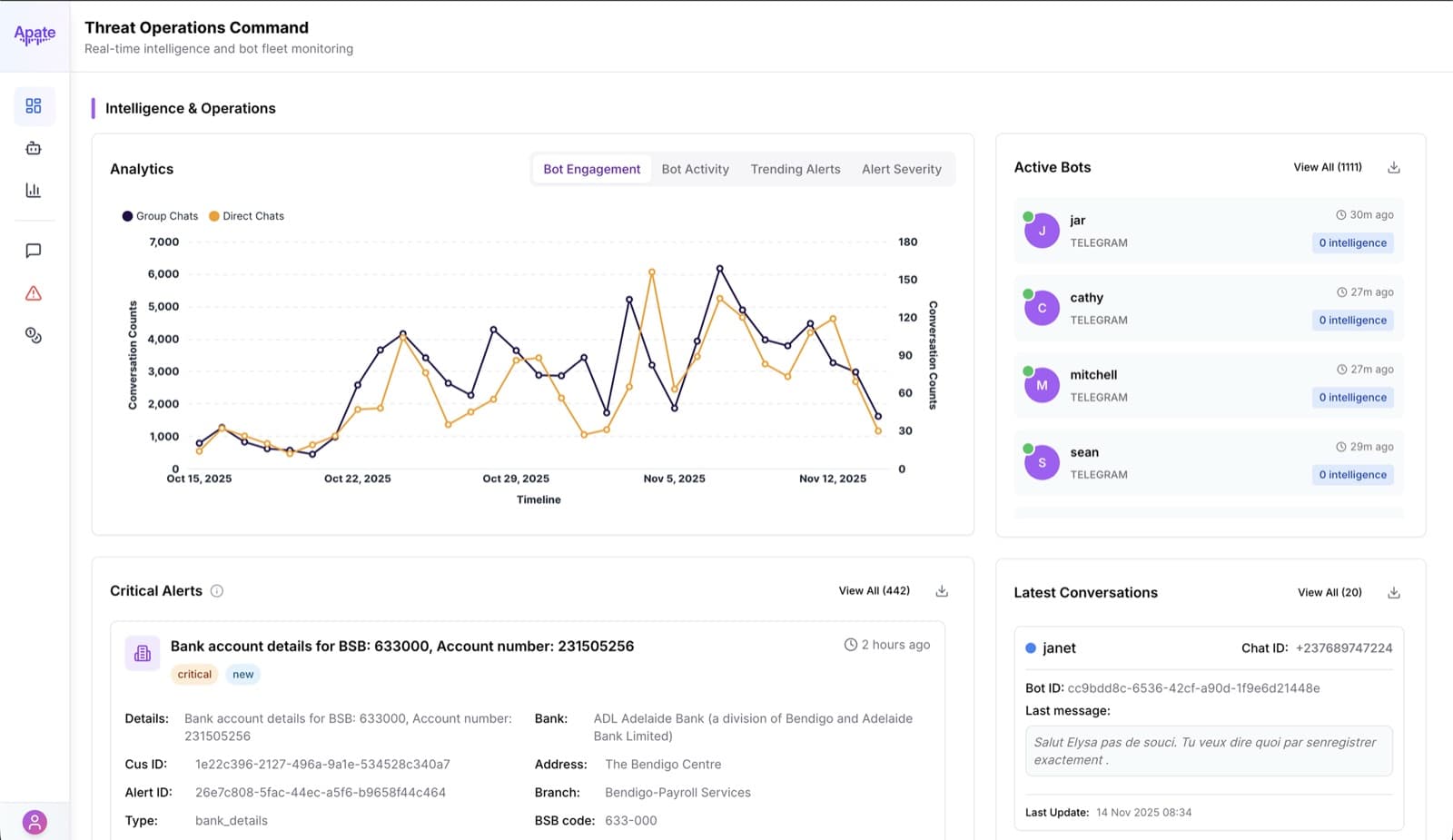
Engagement trend, active bots, and critical alerts on one operational view — everything an operator needs at a glance.